
INVOICE DEMONSTRATION / FOXBYTE SYSTEMS
An invoice workflow with a human decision point
This demonstration uses fictional invoice data to explain review and exception handling. It makes no document upload, external extraction request, accounting write or payment.
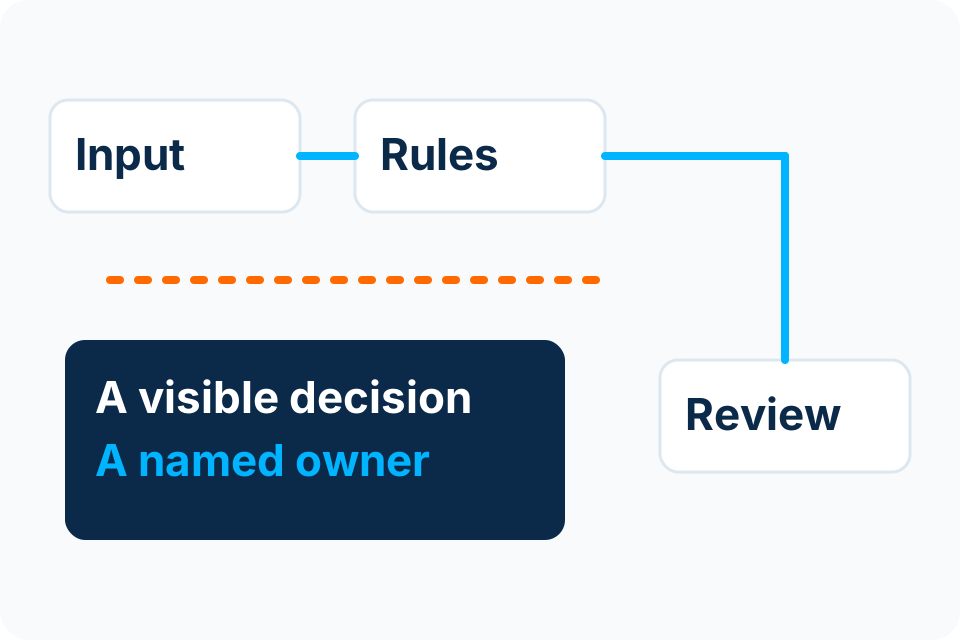
The question
How can a repeatable invoice process make missing information visible before an authorised person decides what happens next? The example focuses on that decision boundary, not on speed or a claimed financial saving.
Synthetic inputs only
Every figure, supplier reference and scenario in the interactive example is fictional. It is not connected to your accounts or to a customer system.
Inspect the example
Try the illustrative decision path
DEMONSTRATION ONLY — synthetic invoice DEMO-INV-042, fictional supplier. No real data, accounting action or payment.
Fictional invoice
- Supplier
- Example Office Supplier
- Invoice
- DEMO-INV-042
- Purchase reference
- DEMO-PO-010
- Total
- KSh 12,800
Fixed illustration only. Not a Foxbyte package price, tax calculation or payable document.
Decision state
Ready to review the example.
Choose a scenario, then review its fixed validation outcome.
No handoff prepared.
Read every branch without running the example
Complete example
Ready for example reviewer. The fixed sample contains the expected reference and total. A person still has to review it.
Missing reference
Hold: reference missing. Ask the responsible owner to supply or explain the missing purchase reference. Do not invent it.
Total mismatch
Hold: total mismatch. The total differs from the fixed KSh 12,800 example. Route it for correction or an authorised explanation.
Possible duplicate
Hold: duplicate reference. Check whether the document is a replay or a legitimate amendment. Do not create another business record automatically.
The permitted reviewer action only changes this example's displayed text to a draft handoff. It never approves a real invoice.
The native demonstration keeps its branches readable without JavaScript. Use it to compare the stated conditions; no selection approves a real invoice.
Separate extraction, validation and authority
| Stage | Purpose | Boundary |
|---|---|---|
| Extraction | Identify fields from an incoming document. | An extracted amount or account detail is not automatically trustworthy. |
| Validation | Compare required fields and permitted reference information. | Passing a format check is not business approval. |
| Human review | An authorised person reviews the record and exceptions. | Approval limits and separation of duties must be agreed. |
| System handoff | Send the agreed result to the permitted destination. | The real system needs access, error handling and reconciliation tests. |
Discuss the uncomfortable cases
- The purchase reference is missing or does not match.
- The invoice appears to be a duplicate of an earlier record.
- A supplier’s bank details have changed.
- A reviewer is absent or no longer authorised.
- The destination system is unavailable after approval.
A real workflow needs an owner for each hold state. Leaving a record in a queue indefinitely is not a completed process. Decide which cases need clarification, escalation or cancellation and how those decisions are recorded.
What would be needed for a real implementation?
The organisation would need to approve the document types, data handling, validation rules, reviewer roles, destination access and acceptance tests. A representative sample should include difficult and incomplete records, with private data handled through an agreed method.
The demonstration does not test extraction accuracy, vendor integration, accounting controls, provider availability, throughput or production security. Those require a scoped implementation and evidence from the relevant environment.
Read the document automation service Compare rules-based automation and AI Return to the demonstration libraryTurn the example into a better brief.
Tell us where documents arrive, what people check and where approved information needs to go.
Foxbyte Insights
Prepare for the decision.
AI & Automation
Invoice automation: design the exception queue first
Design the invoice exception queue before automating the normal path. It is where uncertain information, disputed matches and unauthorised changes become visible to the right person.
Foxbyte InsightsPublished Updated
Read the guide: Invoice automation: design the exception queue firstAI & Automation
Is your document process ready for automation?
Document automation starts with knowing what arrives and what must be checked. A clean sample PDF is not enough to define the production requirement.
Foxbyte InsightsPublished Updated
Read the guide: Is your document process ready for automation?AI & Automation
Where human review belongs in an AI-assisted workflow
Put human review where the consequence and uncertainty require it. A person clicking “approve” is meaningful only if they have the authority, evidence and time to make the decision.
Foxbyte InsightsPublished Updated
Read the guide: Where human review belongs in an AI-assisted workflow