
DOCUMENT / FOXBYTE SYSTEMS
Turn documents into information people can check.
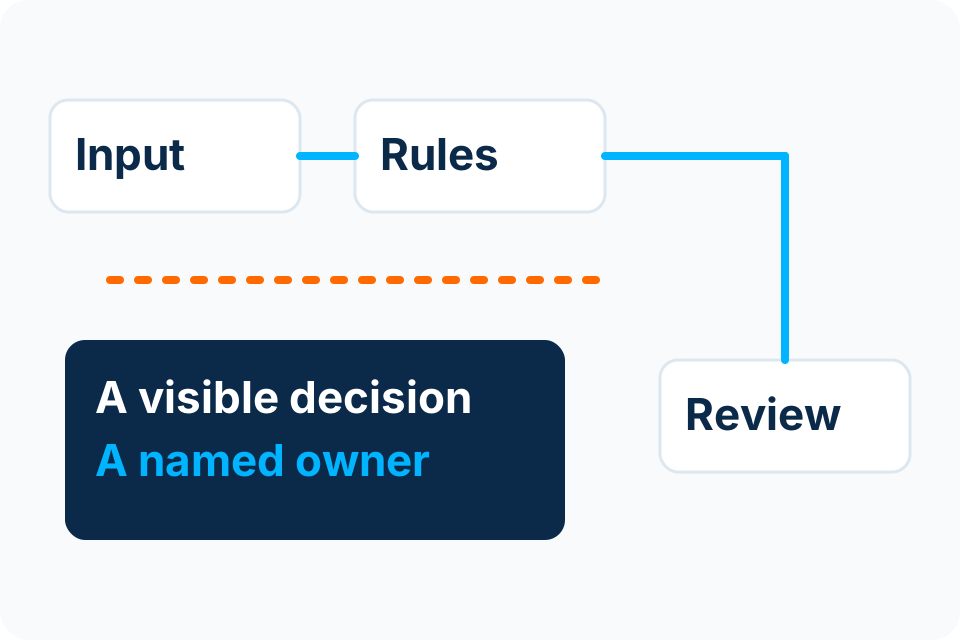
A document workflow should make information easier to use without disguising uncertainty. Capture the document, validate the proposed fields and keep the approval decision with the authorised person.
DOCUMENT → DECISION
| Source | Proposed field | Decision |
|---|---|---|
| Invoice reference | Requires validation | Reviewer checks source |
| Supplier details | Requires matching | Authorised record checked |
| Payment | Outside this demonstration | No payment action |
Start with the document and the business decision.
Invoices and supporting records
Consider the supplier, reference, date, amount, currency and supporting evidence. A correctly read number does not establish that an invoice should be paid.
Forms and incoming documents
Identify the document type, required fields and intended destination. Decide what happens when a submission is incomplete, ambiguous or outside the agreed format.
Purchase orders and quotations
Connect the document to the correct request and review. Matching and approval depend on your business rules and the records available to verify them.
Read. Validate. Review. Record.
Illustrative process — agree the actual scope before implementation.
- CaptureReceive an authorised document through the agreed channel.
- ExtractPropose structured fields from its content.
- ValidateCheck required fields, formats and business references.
- ReviewResolve uncertainty and make the authorised decision.
- HandoverRecord the approved result in the agreed system.
The exception queue deserves as much design as the happy path.
| What can go wrong | Useful control |
|---|---|
| An amount or identifier is read incorrectly | Let the reviewer compare the proposed field with its source. |
| The same document arrives through two channels | Use an agreed duplicate-detection rule before downstream creation. |
| A supplier reference or purchase order is missing | Route for clarification rather than inventing a match. |
| Bank details have changed | Require the organisation’s independent verification process. |
| The destination application fails | Keep a clear pending state and prevent a retry from duplicating the record. |
| A document format changes | Check the result against the new format and review the model or rule. |
Confidence estimates can help route uncertain extraction results. They are not a business approval or a universal guarantee of accuracy. Validate thresholds with representative documents and the consequences of getting a field wrong.
Prove the result with representative examples.
- Include ordinary documents, unusual layouts and poor-but-realistic input quality.
- Test the fields that matter to the business, not just the total number extracted.
- Include duplicates, missing information and inconsistent references.
- Record the reviewer’s correction and whether the downstream record is accurate.
- Measure review time and error handling as well as extraction speed.
Keep payment authority separate.
The invoice-review demonstration and any proposed extraction workflow do not approve spending, verify a supplier bank change or initiate payment. Those require separately authorised controls.
Know where the documents and data go.
Before a pilot, agree the approved input channel, access rights, processing provider, data location where relevant, retention requirements and deletion responsibility. Use redacted or synthetic examples for initial scoping. The final arrangement depends on your data and applicable obligations; a public enquiry is not a place for confidential invoice bundles.
If the target application has no suitable supported interface, assess a controlled alternative. An unattended screen-based process can be fragile when the application changes; the operating and recovery effort belongs in the proposal.
Connect document processing to the approval workflowQuestions before document automation.
Is OCR the same as invoice automation?
No. Reading text is one step. A usable invoice workflow also needs field interpretation, validation, duplicate handling, authorised review and a reliable destination record.
Can every document be processed without review?
Do not assume so. Input quality, layouts, field criticality and business rules determine which results require a person. Agree and test the boundaries with representative examples.
What affects the quotation?
Document types, fields, input channels, volumes, exception handling, review interface, integration, licences and ongoing operation affect scope. A quotation follows that assessment.
Can we start without sharing real invoices?
Yes. Begin with a process description and authorised non-sensitive examples. Agree access and data handling before using production documents.
Sources and further reading
Describe the document journey.
Tell us what arrives, what your team retypes or checks and where the agreed result needs to go.
Foxbyte Insights
Prepare for the decision.
AI & Automation
Is your document process ready for automation?
Document automation starts with knowing what arrives and what must be checked. A clean sample PDF is not enough to define the production requirement.
Foxbyte InsightsPublished Updated
Read the guide: Is your document process ready for automation?AI & Automation
Invoice automation: design the exception queue first
Design the invoice exception queue before automating the normal path. It is where uncertain information, disputed matches and unauthorised changes become visible to the right person.
Foxbyte InsightsPublished Updated
Read the guide: Invoice automation: design the exception queue firstAI & Automation
What business data should you put into an AI tool?
Decide whether a tool is authorised for the information before entering business data. A useful AI response does not establish permission to share the underlying records.
Foxbyte InsightsPublished Updated
Read the guide: What business data should you put into an AI tool?